
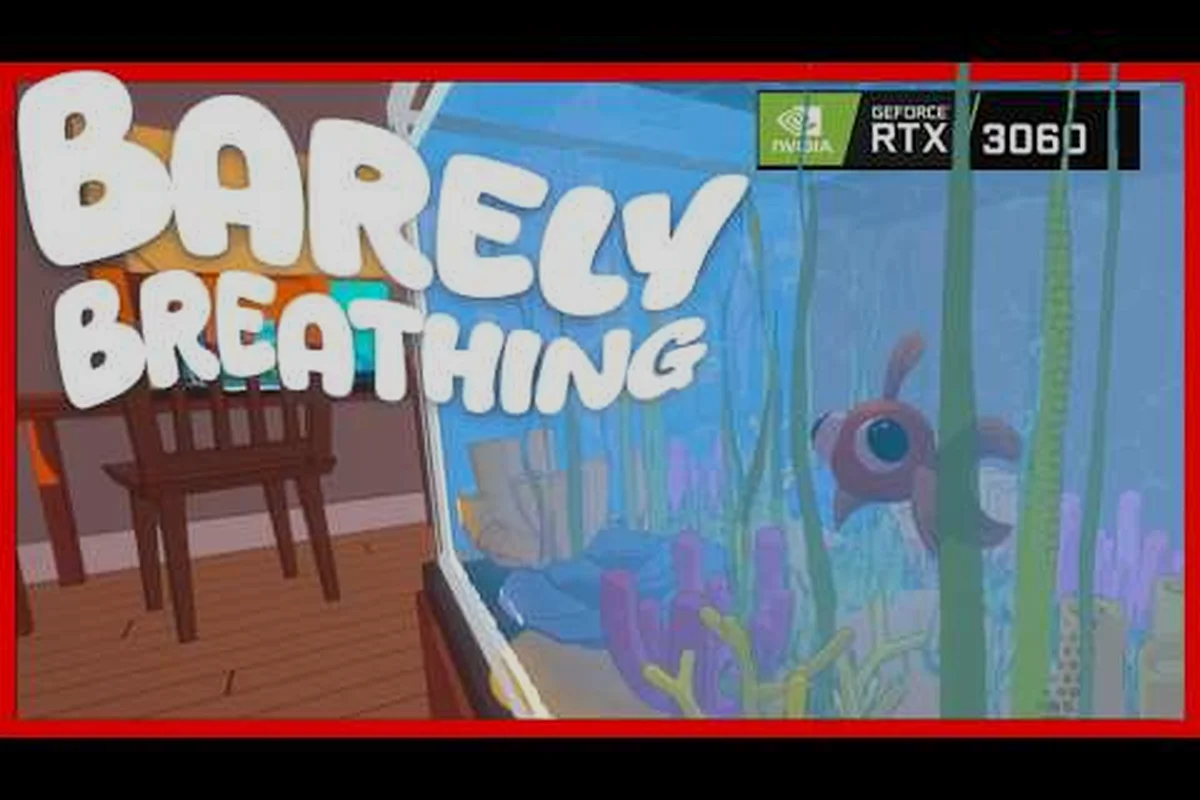
If you are looking for the barely breathing discord server, you have found the right place. This is the official community hub where players gather to share feedback, report bugs, and chat about the physics-based puzzle platformer where you play as a goldfish trying to escape a living room. The server matters because it is the fastest way to reach the developers and connect with other players who are just as obsessed with splashing through puddles and flipping over coffee tables.
Get the latest announcements directly from the team, participate in community events, and help shape the game's future through structured feedback channels. Whether you are a day-one player or just discovered the game through the reveal trailer, the Discord server is where the community lives, breathes, and occasionally drowns in the fishbowl.
Why the Barely Breathing Discord Server Is the Community Hub
The barely breathing official discord serves as the primary gathering place for everyone interested in this 3D physics-based puzzle platformer. While the game is available on Steam with an active store page, the Discord server offers something the store page cannot: real-time conversation with developers and players alike. When you join, you step into a space where every water mechanic, every hidden achievement, and every frustrating puzzle is discussed openly.
The server was created to centralize community activity, and it has grown into the most reliable source for news outside of the official Barely Breathing on Steam page. Players use it for everything from finding co-op partners to sharing speedrun strategies. The server structure is designed to keep conversations organized, so you never have to dig through unrelated chatter to find what you need.
Here is what you can expect when you become part of the barely breathing community discord: immediate access to a live feed of the barely breathing youtube channel, where every new video drops with a dedicated discussion thread before it hits the public feed. You’ll also find dedicated voice channels for co-op sessions with the barely breathing steam community, plus a #clips-and-moments channel where members archive their funniest in-game fails. Unlike the official forums, this hub thrives on real-time reactions—expect a ping storm during a live stream and a saved #resources library of build guides curated by veteran members.
-
Direct developer communication — the team reads feedback posted in dedicated channels
-
Early access to announcements — patch notes and sale information appear here first
-
Structured bug reporting — a dedicated channel keeps issues organized and trackable
-
Community events — regular play sessions and challenges organized by moderators
-
Media sharing — clips of impressive physics moments and funny glitches
The server is more than just a chat room; it is the heartbeat of the player base. Community reports consistently show that players who join the Discord early have a better understanding of game mechanics because they learn from experienced members who share tips and tricks. The barely breathing community hub also serves as a bridge between the developer and the players, making it easier for feedback to translate into actual game improvements.
How to Join the Barely Breathing Discord Server
Getting into the barely breathing discord server takes less than a minute, but knowing the steps ahead of time makes the process smoother. The invite link is publicly available, and there are no application requirements or waiting periods. You just need a Discord account, which is free to create if you do not already have one.
How to Join the Barely Breathing Discord Server
The process is straightforward, but here is a step-by-step breakdown so you know exactly what happens after you click the invite: once you accept, Discord instantly authenticates your account against the server’s verification level, which for the barely breathing official discord is set to medium—meaning you’ll need a verified email and a phone number linked to your profile before you can type. This gate keeps spam bots out of the barely breathing community discord, but it also means new members should check their Discord settings beforehand to avoid a stuck “pending” state. From there, you’ll land in the #welcome channel, where a pinned message auto-assigns your role and links to the barely breathing youtube channel and steam community hub, so you can jump straight into LFG threads or lore discussions without hunting for permissions.
| Step | Action | Note |
|---|---|---|
| 1 | Click the invite link | discord.gg/K2zEs6WmFF |
| 2 | Accept the invite | Opens the server in your Discord app |
| 3 | Read the rules | Respect the community guidelines |
| 4 | Pick a channel | Start chatting or introduce yourself |
Once you accept the invite, Discord will load the server layout and you will see the welcome channel. The rules channel is worth reading because it explains the moderation policies and what kind of behavior is expected. The server is family-friendly, so keep conversations appropriate and constructive.
After reading the rules, you can explore the channel list. The server is organized by topic, so you can jump straight into gameplay discussions, feedback threads, or the general chat. If you are unsure where to start, the welcome channel usually has a pinned message that points new members to the most active areas. The barely breathing join discord process is designed to be frictionless, which is why the community has grown so quickly since the game's announcement.
Server Culture and Channels
The barely breathing official discord has a distinct culture that sets it apart from other gaming servers. Because the game is still in active development, the atmosphere is collaborative rather than competitive. Players genuinely want to help each other discover the game's secrets, and the developer encourages this by participating in conversations and acknowledging player contributions.
Server Culture and Channels
The channel structure reflects the community's priorities, with dedicated spaces for different types of discussion—from strategy deep-dives in #tactics-lab to meme dumps in #salt-zone. Based on community observation, the most active channels are #general-chat and #run-reports, where players dissect failed runs and celebrate clutch saves. This split mirrors the game's core tension: the shared struggle of barely breathing keeps veterans engaged, while new players flock to #help-and-tips for survival basics, making the server a living extension of the Steam community hub.
| Topic | Channel type | Example |
|---|---|---|
| Feedback | Feedback channel | Water mechanic suggestions |
| Bug reports | Bug report channel | Linux or controller issues |
| Speedruns | Gameplay channel | Living Room clear times |
| Updates | Announcements | Patch notes and sale news |
The feedback channel is arguably the most important space in the server. The developer actively monitors it, and many community suggestions have made their way into the game. For example, players reported that the water physics felt too slippery on certain surfaces, and the team adjusted the friction values in a subsequent patch. This kind of direct impact keeps the community engaged and invested in the game's development.
The bug report channel follows a structured format, which makes it easier for the team to reproduce and fix issues. When you encounter a problem, you are encouraged to include your platform, what you were doing when the bug occurred, and any error messages you saw. This level of detail helps the developer address issues quickly, and it also helps other players avoid the same problems.
The gameplay channel is where players share clips of their best moments. Because the game is physics-based, there is no shortage of hilarious and impressive content. From perfectly executed flops to accidental launches across the room, the channel is a constant source of entertainment. The barely breathing youtube channel also features community clips, so sharing your best moments in the Discord could get you featured in an official video.
Reporting Feedback and Bugs Effectively
When you join the barely breathing community discord, you gain the ability to directly influence the game's development. However, the quality of your feedback matters as much as the quantity. The developer has shared guidelines for what makes feedback useful, and following them increases the chance that your suggestion gets implemented.
Reporting Feedback and Bugs
The first rule of effective feedback is specificity. Instead of saying "the controls feel bad," describe exactly what happened, which platform you were playing on, and what you expected to happen. For example, a report like "when I press jump near the edge of the coffee table, my character sometimes clips through the surface and falls into the void" gives the developer actionable information.
Bug reports should include the following details: your in-game username, the exact date and time the issue occurred, your platform (PC, Steam Deck, etc.), and a clear description of what happened versus what you expected. For example, if the voice chat cuts out during a co-op session in the Barely Breathing community hub, note whether it happened after a specific update or map transition. Including a screenshot or short clip from your Barely Breathing official Discord channel helps moderators pinpoint the bug faster, especially since the server’s active player base often reports issues within minutes of a patch. This level of detail prevents back-and-forth questioning and speeds up fixes for everyone in the community.
-
Platform and version — PC, Steam Deck, or other, plus the game version number
-
Reproduction steps — exactly what you did before the bug occurred
-
Expected behavior — what should have happened instead
-
Screenshots or clips — visual evidence helps the team identify the issue faster
The developer has acknowledged that community bug reports have been instrumental in squashing issues before major updates. According to player reports, the team responds to well-documented bugs within days, and fixes often arrive in the next patch. This responsiveness is one of the reasons the community is so active and engaged.
For feedback that is not bug-related, the feedback channel is the right place. The team reads every suggestion, though they cannot respond to each one individually. Popular ideas often get a reaction emoji from the developer, which signals that the suggestion has been seen and considered. This simple interaction goes a long way in making players feel heard.
Developer Presence in the Server
One of the biggest advantages of the barely breathing discord server is the direct line to the development team. Unlike many games where the community runs on its own, Barely Breathing has an active developer presence that shapes the server's culture and keeps information flowing.
Developer Presence in the Server
The developer uses the server to share development updates before they appear anywhere else. This includes behind-the-scenes looks at new mechanics, teasers for upcoming content, and honest discussions about development challenges. For players who want to follow the game closely, the Discord is the best source of information.
The developer also hosts periodic Q&A sessions where players can ask questions directly. These sessions have covered topics ranging from the physics engine to the game's soundtrack. Community reports indicate that these sessions are well-attended and often lead to follow-up discussions in the general chat.
The official Barely Breathing YouTube channel complements the Discord by offering video content, including the reveal trailer and gameplay footage. While the YouTube channel is great for catching up on the game's progress, the Discord provides the interactive experience that video cannot match. The two platforms work together, with announcements on Discord often linking to new videos on YouTube.
If you want to follow the developer across all platforms, you can also check out the official X account for quick updates and community highlights, plus the official YouTube channel for trailers and devlogs. However, for deep discussions, real-time conversations, and direct feedback to the developer, the Discord server remains the primary destination where the community gathers between updates.
Other Official Community Channels
While the barely breathing discord server is the primary community hub, it is not the only place where players gather. The game has a presence on multiple platforms, and each serves a different purpose. Knowing where to look can help you find the information you need faster.
| Platform | Handle / Link | Use |
|---|---|---|
| Discord | discord.gg/K2zEs6WmFF | Primary community hub |
| Steam Community | app 4514070 | Discussions and guides |
| X / Twitter | @BarelyBGame | Dev updates |
| YouTube | @BarelyBreathingGame | Trailers and gameplay |
The barely breathing steam community is a valuable resource for players who prefer to stay within the Steam ecosystem. The discussion forums cover a wide range of topics, including technical support, gameplay questions, and general chatter. Guides posted by players are also available there, offering tips for everything from the first level to the most challenging puzzles.
The Steam community is particularly useful for troubleshooting because players can share system specifications and compare notes on performance issues. If you are experiencing a problem that has not been reported on Discord, checking the Steam forums is a smart move.
The official YouTube channel is where you will find the reveal trailer and other video content. The channel also features a six-month progress video that shows how the game has evolved during development. Watching these videos gives you a sense of the game's trajectory and what the developer prioritizes.
For players who want to stay updated on the game's development journey, the follow the developer guide explains how to track the team across all platforms. The reveal trailer article breaks down the initial announcement, and the YouTube gameplay coverage highlights the best video content available.
Frequently Asked Questions
How do I join the Barely Breathing Discord server?
Click the invite link at discord.gg/K2zEs6WmFF, accept the invite, and read the rules in the welcome channel. The process takes less than a minute, and you only need a free Discord account. After that, you can explore the channels and start participating in conversations.
Is the Barely Breathing Discord server official?
Yes, the server is the official community hub for the game, run by Compiling Shaders Games alongside the Steam store page. The developer actively participates in the server, reads feedback, and posts announcements such as the demo update and the Cat Awareness Feline Sale, which makes it one of the most reliable sources for news and updates.
What is the best way to report a bug?
Use the dedicated bug report channel and include your platform, game version, exact reproduction steps, and any screenshots or clips. Well-documented reports get addressed faster because the developer can reproduce the issue quickly, and Compiling Shaders Games has fixed community-reported problems before, such as the Linux black-screen and audio-corruption issues.
Can I share my gameplay clips on the Discord server?
Absolutely, the gameplay channel is the heart of the Barely Breathing Discord. Members flood it with clips of physics near-misses, hilarious knock-overs, and puddle-panic moments, and the best submissions get featured on the official YouTube channel or shared to the developer for the next devlog, which keeps the clip loop rewarding for everyone who posts.
How is the Discord server different from the Steam community?
The Barely Breathing Discord server is your spot for live chatter, instant troubleshooting, dev drop-ins, and hype during events like the Cat Awareness Feline Sale. Steam’s community page, meanwhile, holds the deep-dive build guides and patch archives. Most players jump between both, using Discord for real-time conversation and Steam for how-to guides.