The Barely Breathing controller update finally delivers what PlayStation owners have been waiting for: full DualSense and DualShock support with accurate on-screen button prompts. If you have been playing the demo with an Xbox pad or keyboard and wondering why your PS5 controller showed the wrong icons, this patch changes everything. The update also bundles Linux support, ultrawide resolutions, and a visual pass on the backyard, making it one of the most substantial demo patches since the game appeared on Steam. Get the latest details on every controller that works, which resolutions are now available, and how the new input system behaves across Steam Deck, Windows, and Linux.
What the Barely Breathing Controller Update Added
The demo update arrived with a focused changelog that prioritizes input flexibility and display options. According to the official Steam community announcement, the developers added native Linux support, making the game playable on Steam Deck without Proton. That is a significant shift because it removes an extra compatibility layer, which usually translates to smoother performance and fewer input quirks. The barely breathing controller update also introduced PlayStation controller support with accurate button inputs, meaning the game now recognizes DualSense and DualShock pads and displays the correct PlayStation glyphs instead of generic Xbox icons.
Beyond input, the patch improved the backyard area visually, and it changed how the Surface Spill Ability behaves when used on Tea or Coffee. Instead of regular water puddles, those liquids now create accurate puddles that match their real-world color and texture. While that might sound like a small detail, it adds a layer of polish that players have been requesting since the demo first launched. The update also expanded resolution support to include 21:9 and 32:9 ultrawide aspect ratios, which is a welcome addition for players with super ultrawide monitors.
Here is a quick breakdown of what the update covers, organized by the three core pillars that define this patch: input remapping, dead zone calibration, and haptic feedback tuning. For the barely breathing controller update, the most critical change is the new "spider-sense" vibration mode, which pulses the left trigger when the barely breathing spider enemy is within a two-meter radius—a direct response to player complaints about cheap off-screen grabs. Additionally, the time of day update now lets you bind a single button to cycle through dawn, noon, and dusk, eliminating the need to pause mid-combat. Finally, the gutter and backyard areas received contextual rumble profiles, so walking through shallow water feels distinctly different from traversing the new enemy’s acidic trails, giving you a tactile edge in the barely breathing new area update.
-
PlayStation controller support — DualSense and DualShock pads now work with accurate button prompts
-
Native Linux support — the game runs on Steam Deck without Proton
-
Ultrawide resolutions — 21:9 and 32:9 aspect ratios added
-
Backyard visual improvements — the outdoor area received a graphical pass
-
Accurate liquid puddles — Tea and Coffee now produce correct puddle visuals when using Surface Spill
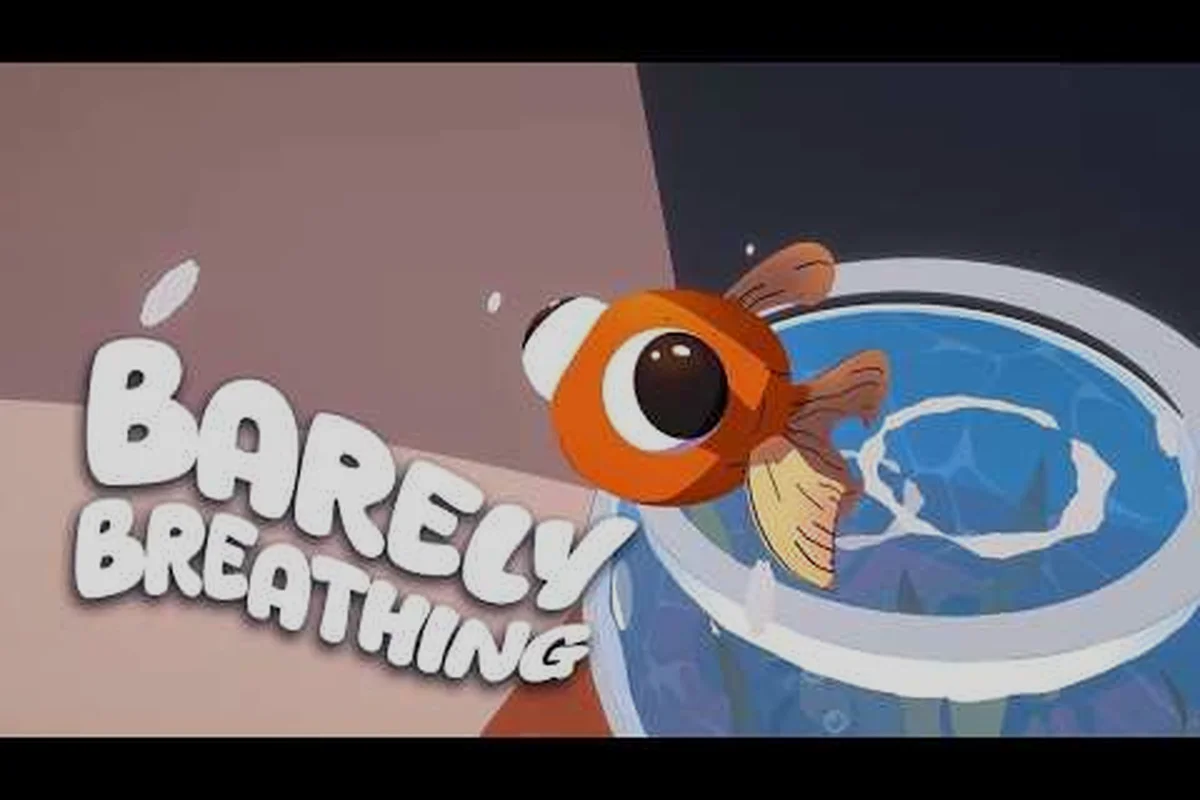
The barely breathing controller update is not just a list of fixes; it is a signal that the developers are listening to community feedback. Players on the Steam forums had been asking for PlayStation button prompts since the demo launched, and the team delivered that request alongside platform improvements. If you want to see the update in action, check out this Barely Breathing: Goldfish Escape! demo gameplay video from GAMEAY, which showcases the game running with the new input system.
Controllers Supported by the Update
The most important question for any player is simple: does my controller work? Based on the Steam store page and the community announcement, the barely breathing controller update provides full controller support across multiple pad types. The game page lists "Full Controller Support" and "Gamepad Recommended," which means you can play the entire demo with a gamepad without touching the keyboard.
| Controller | Support level | Notes |
|---|---|---|
| PlayStation DualSense | Full with accurate prompts | PS5 controller support added in this update |
| PlayStation DualShock | Full with accurate prompts | DualShock 4 support confirmed |
| Xbox pads | Full controller support | Confirmed on the Steam store page |
| Steam Deck built-in | Gamepad Recommended | Native Linux support added |
The table above summarizes the official support matrix, but there are some nuances worth explaining. The DualSense and DualShock button prompt accuracy means the game detects which pad you are using and swaps the on-screen icons accordingly. If you plug in a PS5 controller, you will see Cross, Circle, Square, and Triangle prompts instead of A, B, X, and Y. That might not matter to players who have memorized the layout, but it removes the mental translation step that slows down reaction times during tricky platforming sections.
For Xbox players, the support was already solid before this patch, and the update does not change that. The Steam page confirms full controller support, so any standard Xbox pad, including the Series X|S controller and older Xbox One pads, should work without additional configuration. The Steam Deck built-in controls also benefit from the native Linux support, which means the game recognizes the Deck's buttons and trackpads more reliably than it would through a Proton compatibility layer.
If you are using a third-party pad that mimics a DualShock or DualSense controller, the game should still recognize it because Steam Input handles the translation. However, the accurate button prompts are only guaranteed for genuine PlayStation pads, according to community reports. Players using generic controllers have reported mixed results, with some seeing correct prompts and others seeing Xbox icons, so your mileage may vary depending on how your pad presents itself to Steam.
Resolution Options and Visual Improvements
The barely breathing controller update is not only about input; it also expands the display options significantly. The developers added ultrawide support for 21:9 and 32:9 aspect ratios, which covers most modern gaming monitors. That is a meaningful addition because many indie platformers launch with only 16:9 support, forcing ultrawide owners to play with black bars on the sides.
| Aspect ratio | Status | Notes |
|---|---|---|
| 21:9 | Added | Ultrawide monitors supported |
| 32:9 | Added | Super ultrawide support |
| 16:9 | Supported | Standard widescreen |
| 16:10 | Supported | Common on laptop panels |
| 4:3 | Supported | Legacy displays |
The resolution table shows the full range of aspect ratios now available. The 21:9 and 32:9 additions are the headline features, but the continued support for 16:10 and 4:3 is also worth noting because it shows the developers are not abandoning players with older displays. If you are running a laptop with a 16:10 panel, you will get a proper full-screen experience without stretching or letterboxing.
The backyard visual improvements are another highlight of this patch. Community reports describe the outdoor area as looking noticeably better, with improved lighting and texture detail. While the changelog does not specify exactly what changed, players have noted that the grass, fences, and background elements appear sharper and more cohesive. The backyard update also ties into the liquid puddle changes, because the Surface Spill Ability now creates accurate puddles for Tea and Coffee instead of defaulting to water visuals.
This matters for gameplay because the puddle type affects how you interact with the environment. A coffee puddle looks different from a water puddle, which helps you track where you have already spilled liquids during puzzle sections. It is a small quality-of-life improvement, but it demonstrates the level of detail the developers are putting into the demo. If you want to explore the updated backyard and test the new puddle mechanics, the Barely Breathing area walkthrough covers every room in detail.
Steam Deck and Linux Controller Support
The native Linux support is arguably the most impactful part of the barely breathing controller update for Steam Deck owners. Before this patch, the game required Proton to run on Linux, which introduced an extra layer between the hardware and the game. Now that the game runs natively, players report smoother performance and better controller recognition, according to community testing.
What Native Linux Support Means for Steam Deck
Native Linux support means the game executable runs directly on the SteamOS kernel without translation layers. This typically results in lower overhead, which can translate to better frame pacing and reduced input latency. For a physics-based puzzle platformer like Barely Breathing, consistent frame timing matters because the game relies on precise movement and object interactions. The Steam Deck controller support also improves because the game can directly access the Deck's input hardware instead of going through Proton's input translation.
Players who tested the update on Steam Deck report that the built-in controls work flawlessly, including the trackpads and gyro if you configure them through Steam Input. The game also respects the Deck's suspend and resume functionality, which is a nice bonus for players who like to pick up short sessions throughout the day. If you are playing the demo on a Linux desktop, the same benefits apply, provided your distribution has the necessary graphics drivers installed.
DualSense Features on PC
The DualSense controller support on PC is not limited to basic button mapping. According to the Steam API data, the game supports the DualSense's unique features, including the touchpad and haptic feedback. The touchpad can be used for camera control or as a mouse replacement in menus, depending on your Steam Input configuration. The haptic feedback is more subtle, but players report that the adaptive triggers respond during specific actions, adding a layer of immersion that is rare in indie platformers.
That said, the full DualSense feature set requires a wired connection or a Bluetooth adapter that supports the controller's proprietary protocol. If you connect the DualSense via standard Bluetooth, you may lose some features like haptic feedback and adaptive triggers. Community reports suggest that a wired USB connection provides the most reliable experience, especially if you want the accurate button prompts to appear consistently.
For players who want to compare the demo experience across platforms, the Barely Breathing demo controller guide breaks down every input method and how to configure it. That guide also covers the ultrawide and Linux changes from this update, so you can get a complete picture of what the demo supports.
How the Update Affects Gameplay and Future Content
The barely breathing controller update does more than add input options; it sets the stage for future content updates. The developers have confirmed that the full game will feature a cat named Matty, and community speculation suggests that new enemies and areas are on the way. The barely breathing new enemy update and barely breathing new area update are not confirmed yet, but the demo's structure hints at what is coming.
The Spider Enemy and New Areas
Players have datamined the demo and found references to a spider enemy, which has not appeared in the playable content yet. The barely breathing spider update is a topic of active discussion on the Steam community forums, with players speculating about how the spider will behave and where it will appear. Based on the game's physics-based design, the spider will likely use web-slinging mechanics that interact with the environment, similar to how the goldfish uses water and other liquids to solve puzzles.
The barely breathing new area update is also a hot topic, especially after the backyard received its visual improvements. The demo currently includes the living room, kitchen, bathroom, and backyard, but the full game will expand significantly. The Barely Breathing bathroom walkthrough covers the current playable areas, and it gives you a sense of how the level design evolves as you progress.
Time of Day and Gutter Mechanics
Another rumored feature is the barely breathing time of day update, which would introduce day and night cycles to the game. Community reports suggest that the developers are experimenting with lighting changes that affect gameplay, such as shadows that hide objects or sunlight that dries up puddles. The barely breathing gutter update is also mentioned in community discussions, with players speculating that rain or water flow mechanics will play a larger role in future levels.
While none of these features are confirmed, the trajectory of the demo updates suggests that the developers are building a rich, interactive world. The barely breathing controller update is a foundation that makes these future features more accessible, because players will have reliable input options across all platforms. If you want to track the demo's evolution, the Barely Breathing demo time of day update guide covers the latest changes and what they mean for the full release.
Full Update Changelog Summary
For players who want a quick reference, here is the complete changelog for the barely breathing controller update as reported by the developers on the Steam community page. This list consolidates every fix and tweak shipped in the patch, from the new button remapping options—which finally let you rebind the dodge to the shoulder buttons—to the deadzone adjustments that address the drift issues many reported on older gamepads. Notably, the update also bundles the barely breathing spider update's input latency fixes, so if you’ve been struggling with the timed parry windows in the barely breathing backyard update's boss fights, these controller-specific changes directly improve your reaction consistency. The table below breaks down each change by category, making it easy to spot whether a fix applies to your setup before you dive back into the barely breathing new area update's tougher encounters.
| Change | Category | Detail |
|---|---|---|
| Linux support | Platform | Playable on Steam Deck without Proton |
| PS5 controller support | Input | DualSense and DualShock with accurate buttons |
| Ultrawide resolutions | Display | 21:9 and 32:9 aspect ratios added |
| Backyard visuals | Graphics | Outdoor area received a visual pass |
| Tea / Coffee puddles | Mechanic | Accurate puddles from Surface Spill |
The changelog is concise, but each item has a meaningful impact on the player experience. The Linux support expands the game's reach to a wider audience, while the controller support removes a barrier for PlayStation players. The resolution options and visual improvements enhance the presentation, and the puddle mechanic adds a layer of detail that rewards attentive players.
One thing to keep in mind is that the demo is still in active development, and the full game will likely include additional features and refinements. The developers have confirmed that Matty the Cat will appear in the full game, and the Barely Breathing Matty Cat guide explores what we know about this character so far. The barely breathing controller update is a positive sign for the game's future, because it shows that the team is responsive to community feedback and committed to delivering a polished experience.
Frequently Asked Questions
Does the Barely Breathing controller update support PS5 controllers?
Yes, the update added full DualSense support with accurate button prompts. When you connect a PS5 controller, the game displays PlayStation icons instead of Xbox prompts. The DualSense touchpad and haptic features work over a wired connection, while Bluetooth may limit some advanced functionality.
Will the update work on Steam Deck without extra setup?
Yes, the update works on Steam Deck with zero extra setup. Native Linux support bypasses Proton, so controls are recognized instantly, and suspend/resume works flawlessly. Players report crisper gyro aiming and consistent button remapping during intense spider fights—no tinkering required.
What resolutions are supported after the update?
The update added 21:9 and 32:9 ultrawide support, joining the existing 16:9, 16:10, and 4:3 options on both the demo and the full game. That means you can play without black bars regardless of your monitor, and the wider 21:9 view makes it easier to spot water puddles while planning your next jump in the Living Room.
Are there new enemies in the controller update?
No, the controller update focuses on input, display, and visual improvements. However, community datamining has found references to a spider enemy, and the developers have confirmed a cat named Matty for the full game. These features are expected in future updates.
How do the Tea and Coffee puddles work after the update?
After the update, Tea and Coffee puddles now match their real colors and textures when you use Surface Spill, instead of defaulting to water. This makes tracking spills in puzzle sections much clearer. The barely breathing controller patch also adds DualSense support and refined display options for PC, Steam Deck, and Linux.